


Most developers and operations teams pick a hosting provider the same way they pick a broadband plan. They compare the headline specs, filter by price, and go with whatever looks reasonable. For general web hosting, that approach is survivable. For ASP.NET hosting, it routinely leads to performance problems, deployment headaches, and support tickets that take days to resolve.
The reason is straightforward. ASP.NET applications run on the Microsoft stack. They have dependencies, runtime requirements, and configuration needs that a generic shared host can technically accommodate but may never optimize for. If the provider's infrastructure is tuned for PHP and WordPress, your .NET application is a second-class citizen, even if the sales page says otherwise.
Here is what to look for instead.
The Runtime Question Nobody Asks First
Before anything else, confirm which .NET runtimes the provider supports and how quickly they add new versions. This matters more than almost any other spec.
If you are building with the current .NET runtime (previously known as .NET Core), you need a host that keeps pace with Microsoft's release cadence. Some providers still lean toward the legacy .NET Framework, which runs only on Windows. Others support both. A few stay genuinely current. The gap between those positions is wider than most buyers realize until they are already locked in.
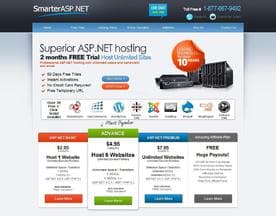
SmarterASP.net and HostForLife are two providers in this category that advertise explicit .NET version support across their plans. When you are evaluating any host, ask for the specific runtime versions available on your target plan, not just what is listed on the features page.
Also worth checking: how runtime upgrades are handled. Does your application restart automatically when the host patches the runtime? Does that happen during business hours? These are operational realities that spec sheets do not mention.
Windows vs. Linux Hosting for .NET
This used to be a simple answer. ASP.NET meant Windows Server, full stop. That changed when .NET Core arrived with genuine cross-platform support. Today, you have a real choice.
Windows hosting gives you the full .NET Framework where you need it, smooth integration with IIS (Internet Information Services, Microsoft's web server), and compatibility with older components like COM objects or Windows-specific libraries. If your application has legacy dependencies, Windows hosting is often still the right call.
Linux hosting for .NET tends to be cheaper, scales more predictably in cloud-native environments, and performs well for modern .NET applications built without Windows-specific dependencies. The tradeoff is that you lose some of the Windows-native tooling and may encounter edge cases with libraries that have not been fully ported.
Know your application's dependencies before you decide. If you are unsure, a Windows host is the safer starting point. You can always move to Linux later once you have mapped the dependencies clearly.
What "Managed" Actually Means Here
Managed hosting gets used loosely. In the ASP.NET world, it is worth pinning down.
At minimum, a managed ASP.NET host should handle OS patching, runtime updates, and IIS configuration. The better providers go further and give you a control panel that understands .NET applications, not just a generic cPanel install. That distinction matters when you need to set application pool settings, configure custom error pages, or manage application lifecycle without raising a support ticket every time.
Host ASP positions itself specifically around ASP.NET management, which is the right model to look for. The question to ask any provider: what does a typical deployment look like for a .NET application on your platform, and can I do it without contacting support?
If the answer involves a support ticket, factor that into your evaluation of their SLA (service level agreement, the contractual promise around uptime and response times).
Deployment and CI/CD Compatibility
Modern development teams do not deploy by FTP anymore. If your workflow includes a CI/CD pipeline (continuous integration and continuous deployment, the practice of automating builds and releases), your host needs to support it.
That means WebDeploy support, Git-based deployment hooks, or at minimum a documented API that your pipeline can push to. Providers that only offer file manager access through a control panel are a poor fit for any team running automated deployments.
Before signing up, test the deployment story. Specifically, check whether the provider supports Web Deploy over HTTPS, whether deployment slots or staging environments are available, and how rollbacks work if a bad build reaches production.
Pipe Ten Hosting Ltd is one provider in the space that documents its deployment support clearly. That kind of transparency is itself a useful signal when comparing providers.
Support Quality Is Not a Nice-to-Have
ASP.NET issues are not generic hosting issues. When an application pool crashes, when a trust level setting blocks a library, or when a connection string fails after a runtime update, you need support staff who understand the Microsoft stack. A first-line team reading from a generic troubleshooting script will waste your time.
Ask the hosting provider directly: do your support staff have .NET experience? Can you speak to a technician who has debugged an ASP.NET application, not just reset a server?
Some providers in this space, including ASPHostCentral.com, build their positioning around exactly this kind of stack-specific expertise. Whether they deliver on it is something you assess through their public reviews and a pre-sales conversation, not their marketing copy.
Shared, VPS, or Dedicated
For most small to mid-size ASP.NET applications, a well-configured Windows shared host is a reasonable starting point, provided application pools are isolated properly. The risk with shared hosting is noisy neighbors, but reputable providers mitigate this by keeping application pools independent.
VPS (virtual private server) hosting gives you dedicated resources and more control over your environment. It is the right tier when your application has consistent traffic, when you need to install custom software, or when you cannot tolerate shared resource contention.
Dedicated server hosting is worth the cost only when you have predictable high-load requirements that VPS cannot handle, or when compliance requirements mandate physical isolation.
Do not over-provision. A well-tuned shared or VPS environment usually outperforms an under-configured dedicated server, because configuration quality matters as much as raw hardware.









Making the Final Call
The right ASP.NET host is the one that matches your runtime requirements, fits your deployment workflow, and offers support staff who understand the stack you are running. Price matters, but it matters least. A cheaper host that costs you hours of downtime or blocked deployments is not actually cheaper.
Before committing, do three things. Check which .NET runtimes are supported and how current they are. Test the deployment process with a simple application before migrating anything important. And run a support query through their pre-sales channel to gauge how technically capable their team actually is.
The providers you choose should make all three of those steps easy. If they cannot, keep looking.


