

What is Canva?
Canva is a graphic design platform that allows users to easily create a wide variety of designs and visual content, including presentations, social media graphics, flyers, posters, business cards, and more. The platform offers a drag-and-drop interface, an extensive library of templates, images, and design elements, and a range of tools to help users customize their designs and make them unique. Canva was founded in 2012 in Sydney, Australia by Melanie Perkins, Cliff Obrecht, and Cameron Adams. The company has since grown rapidly, with offices in multiple locations around the world and millions of users in over 190 countries. Canva's mission is to empower people to design anything and publish anywhere, and its platform is used by individuals, small businesses, nonprofits, and large corporations alike. Canva also offers a range of paid plans and enterprise solutions for businesses and organizations with more advanced design needs.
Alternatives to Canva
 crowdspringWe believe that creativity knows no borders. We started crowdspring to address what we saw as a fundamental problem with the… Learn more about crowdspring.
 RocktopusVIP Quality Creative Services at Affordable Rates for Small Businesses. Rockstar Branding Agency. Multi-Industry Brand Alchemy… Learn more about Rocktopus.
 DoodlyDoodly Is The First And Only Whiteboard Animation Software To Allow Anyone, Regardless Of Technical Or Design Skills To Create… Learn more about Doodly.
 DotYetiDotYeti was founded in 2020 as the most complete solution to a major problem in graphic design: inefficiency. We saw that the… Learn more about DotYeti.
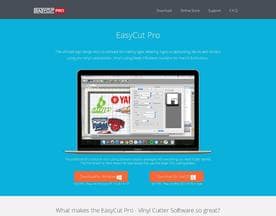 EasyCutProIt is the Full-Featured Vinyl Cutting Software for creating original designs and has enhanced functions such as auto-shapes… Learn more about EasyCutPro.
 Instant LogoInstant Logo Design is an AI-powered logo design maker platform that creates logos in minutes. The company focuses on empowering… Learn more about Instant Logo.
 Free Logo CreatorFree Logo Creator is an online logo maker tool that does what it says: gives you free logo designs. When we say free, we don’t… Learn more about Free Logo Creator.
 BitsnPixsBitsnPixs is a designing services company where our focus areas are Raster to Vector Conversion and Embroidery Digitizing. Our… Learn more about BitsnPixs.
 BrandCrowdBrandCrowd (https://www.brandcrowd.com/) wants to help small businesses, start-ups, and budding entrepreneurs start their dream… Learn more about BrandCrowd.
 CADopia Inc.CADopia is creating the industry standard for an affordable and powerful CAD solution. As a privately owned company with a… Learn more about CADopia Inc..
Canva Reviews (52)
- ★★★★★26
- ★★★★★20
- ★★★★★5
- ★★★★★1
- ★★★★★0
Review Summary
Generated using AI from real user reviews
Canva has strong product fundamentals that appeal broadly to non-designers and small teams, though support responsiveness and some feature limitations are consistent friction points.
Users consistently praise the template library, drag-and-drop simplicity, and Brand Kit feature for keeping teams on-brand without constant oversight. The platform earns particular loyalty from solo freelancers, nonprofits (which benefit from steep discounts), small businesses, and educators—users report getting polished output in a fraction of the time of traditional design tools. Integrations with Slack, Google Drive, and other platforms reduce friction for teams already using those systems. Enterprise and mid-market users highlight smooth onboarding and admin controls that scale reasonably well to hundreds of users.
Consistent criticisms center on support responsiveness, with multiple users reporting slow or unhelpful replies to tickets, especially on billing questions. Some professional designers find the platform limiting for work requiring granular typography control or precise alignment. A few agency users flag challenges managing multiple client workspaces at scale and note that certain premium stock elements carry extra costs even on paid plans. A handful of users mention UI quirks like unpredictable resizing behavior or occasional permission conflicts in the Brand Kit, though these appear less widespread.
The pricing debate appears genuine—users acknowledge value but note that more features have shifted behind the paywall over time, and per-seat billing for short-term contractors lacks flexibility. Overall, Canva delivers reliably for its target audience but leaves professional designers and large enterprises with legitimate reservations.
★★★★★
Sunday, December 28, 2025

“Pricing is where Canva gets complicated fast. Two years into…”
Pricing is where Canva gets complicated fast. Two years into an enterprise rollout across multiple departments, and I still don't have a clean answer when someone asks me what we actually pay per seat. The tiered structure sounds reasonable on paper, but once you're managing hundreds of users with different access levels, the billing becomes genuinely hard to forecast. Support has been hit or miss when I've raised billing questions, and the account management experience doesn't match the enterprise price tag they're charging.
That said, the platform itself earns its keep in other ways. Templates are genuinely useful, onboarding non-designers was faster than I expected, and most folks on my brand team find it easy to pick up. The brand kit feature alone has saved us a lot of correction work. But if you're evaluating this for a large org, go in with clear questions about how seats scale and what's actually included at each tier. The value is there, conditionally.
★★★★★
Saturday, December 27, 2025
“Support that actually responds. That's the part I didn't expect.…”
Support that actually responds. That's the part I didn't expect. Six months in, my small team hit a billing snag and a permissions issue on the same week. Both were resolved within hours, not days. The support reps clearly knew the product and didn't make me feel like I was talking to a script.
The design tools are solid too, plenty of templates and the drag-and-drop interface clicks fast. But honestly, it's knowing that help is real and nearby that keeps us on the Pro plan without hesitation.
★★★★★
Monday, December 22, 2025
“Switching from our old design tool was something I put…”
Switching from our old design tool was something I put off for almost a year, mostly out of habit. Five years later, I can say that stubbornness cost me real time. Canva's template library is genuinely deep, and the brand kit feature, which lets my whole department pull from the same color palette and logo files without asking me, has cut down a lot of back-and-forth. The drag-and-drop interface is intuitive enough that non-designers on my team can produce decent social graphics without a tutorial. That alone justified the switch.
The one area where the old tool actually had an edge is fine typographic control. If you care about kerning, custom spacing rules, or detailed text hierarchy, Canva can feel a little blunt. I work around it, but it shows up mostly when I'm building anything close to a formal document or a polished print piece. For day-to-day marketing content across a mid-size department, though, this is a solid platform I've stuck with for good reason.
★★★★★
Sunday, December 21, 2025
“Five years in, and I've watched Canva evolve from a…”
Five years in, and I've watched Canva evolve from a scrappy little tool I used for quick client mockups into something far more ambitious. That ambition is exactly the problem. Scaling it across a growing agency, managing separate brand kits for a dozen different clients, juggling user permissions, dealing with assets that end up in the wrong workspace because someone clicked the wrong folder, it's a constant low-level frustration. They keep adding features, but the team management layer feels like it was designed for an office of five, not an agency trying to keep client work cleanly separated.
To be fair, the template library is genuinely impressive, and onboarding junior designers is quick because the interface is intuitive. That part still works. But the enterprise tier pricing for features that should frankly be standard is hard to swallow, and when things go wrong, support is slow and often unhelpful beyond pointing me at help articles I've already read. If you're running a solo operation or a small in-house team, this is probably fine. For agency use at any meaningful scale, expect workarounds to become part of your workflow.
★★★★★
Monday, December 8, 2025
“Managing a Canva account across a dozen client brands is…”
Managing a Canva account across a dozen client brands is genuinely where this platform earns its keep. Two years in, and the Brand Kit permissions setup has become my first stop when onboarding anyone new. Locking down fonts, colors, and logos per client, then controlling exactly who can touch what, saves me real headaches. The folder structure for teams is tidy and the sharing controls are granular enough for agency work.
The one thing that still frustrates me: when a client user accidentally lands in the wrong brand workspace, there's no obvious warning. They've published things with the wrong logo more than once. A clearer visual indicator per workspace would fix this immediately.
★★★★★
Sunday, November 30, 2025
“Scaling a design tool across a growing nonprofit team is…”
Scaling a design tool across a growing nonprofit team is usually where things fall apart. Six months in, Canva has been the exception. When I brought it to our small staff of educators and program coordinators, most of whom have zero design background, the learning curve was almost embarrassingly short. Shared brand kits, team folders, and template locking let me set guardrails so everyone is producing materials that actually look consistent. That alone saves me hours each week I used to spend fixing off-brand flyers made in Word.
What really impressed me is how well the permissions system scales as we add volunteers and contractors. I can give someone access to exactly what they need and nothing more. The Canva for Nonprofits discount made the decision easy to justify to leadership. Customer support has been responsive when I've needed it, though the help docs can sometimes feel overwhelming if you're trying to find a specific answer fast. Overall, this is the first tool I've introduced organization-wide that generated zero complaints at the staff meeting.
★★★★★
Tuesday, November 25, 2025
“The pricing model is what sold me on pushing this…”
The pricing model is what sold me on pushing this across my agency's client accounts, and six months later I still think it's genuinely fair for what you get. The Pro plan covers a surprising amount of territory. Templates, brand kits, a content planner, background removal, resizing on the fly. For clients who previously paid a designer for every small asset tweak, the cost difference is hard to argue with. Managing multiple brand profiles under one subscription is something I honestly didn't expect to work as well as it does.
My one real gripe is that billing for team seats gets messy when client headcounts shift. Adding or removing seats mid-cycle isn't as clean as I'd like, and the prorated charges have confused a couple of clients I've looped into their own accounts. Their support documentation is thorough but slow to actually reach a human. Nothing that makes me want to leave, but it's the friction point I keep bumping into. Worth it overall.
★★★★★
Monday, November 24, 2025
“Rolling out a new design tool to over a thousand…”
Rolling out a new design tool to over a thousand people is exactly as chaotic as it sounds, so the first week matters enormously. Canva surprised me. The onboarding flow is genuinely intuitive, and watching colleagues who had never touched a design platform in their lives start producing decent-looking internal communications by day three was something I did not expect. The template library does a lot of the heavy lifting there. Templates aren't just filler, they're actually well-structured starting points that non-designers can adapt without breaking anything. Six months on, the enterprise Brand Kit setup has kept things consistent across departments in a way our old shared folder system never could.
My one real gripe is with admin controls. Setting up user permissions at the start felt clunky, and support took longer than I'd like to answer a fairly straightforward question about team folder access. Not a dealbreaker, but for a large rollout those early hours matter. Everything else has been solid. If you're managing a big team migration, the learning curve for end users is genuinely low, which makes your life considerably easier.
★★★★★
Sunday, November 9, 2025
“The Brand Kit feature is what sold me. Six months…”
The Brand Kit feature is what sold me. Six months in, and I use it every single day. Every color, font, and logo my department touches lives in one place, so whoever pulls up a template is already working inside our guidelines without thinking about it. No more rogue font choices from someone who grabbed the wrong file.
Setup took maybe an afternoon. Now my team ships consistent, polished assets fast, and I spend a lot less time doing rounds of corrections. Worth every dollar of the Pro plan.
★★★★★
Friday, November 7, 2025
“Two years of daily use for a small charity, and…”
Two years of daily use for a small charity, and my feelings on Canva are genuinely split. The drag-and-drop interface is forgiving enough that volunteers with zero design background can produce something decent in under ten minutes. That alone has saved my sanity on deadline days.
But the UI has quirks that still catch me out. Resizing grouped elements behaves unpredictably, and the left-panel navigation gets cluttered once you're managing a shared team folder. Customer support is mostly a help-center maze. Useful for light, frequent work. Less so when you need something precise.