
What is FileCenter?
FileCenter is a simple, affordable document management, scanning, and PDF software solution for both home and office use. It helps you turn stacks of paper into digital files and quickly organize your documents thereby eliminating the pain of dealing with the daily flow of computer files and paper. FileCenter combines easy scanning and file organization with powerful PDF creation and editing. It integrates with the Cloud services and Windows programs you already use and includes a powerful built-in PDF editor (so no more need for other PDF software). Feature-for-feature, FileCenter delivers at a price the competition can't touch. Buy it today!
Alternatives to FileCenter
 InterfacingSpotlightInterfacing Technologies Corporation is a global leader in digital transformation solutions, specializing in innovative… Learn more about Interfacing.
 DocStarSpotlightTransition From Drowning in Paper to Streamlined Digital Efficiency. Helping businesses translate vision into action for more… Learn more about DocStar.
 DynaFileDynaFile is an electronic employee filing system tailored for human resource departments. With cloud document management… Learn more about DynaFile.
 M-FilesM-Files delivers Context-First Document Management with an AI-native, metadata-driven architecture that eliminates information… Learn more about M-Files.
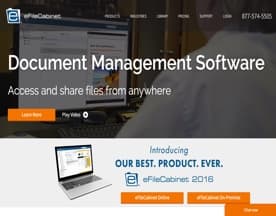 eFileCabinetTake control of tedious and repetitive manual processes with powerful, but simple workflow automation. With Rubex by… Learn more about eFileCabinet.
 DGLegacyDGLegacy enables people in the USA, the EU, and other countries across the globe to protect their digital, financial, and… Learn more about DGLegacy.
 FlowshareFlowShare is a one-of-a-kind documentation tool that runs in the background, automatically documenting every action you take… Learn more about Flowshare.
 FutureVaultFutureVault is an industry-leading provider of secure, cloud-based document management solutions that helps organizations, and… Learn more about FutureVault.
 FileHoldAffordable document management software from FileHold Systems is the fast track to the “Paperless Office”. FileHold document… Learn more about FileHold.
 FileInvite**We help you to get the information you need to do business and delight your customers.** FileInvite started out life as an… Learn more about FileInvite.
FileCenter Reviews (24)
- ★★★★★23
- ★★★★★1
- ★★★★★0
- ★★★★★0
- ★★★★★0
Review Summary
Generated using AI from real user reviews
FileCenter earns overwhelming user satisfaction, with 23 of 24 reviews giving it five stars. Users consistently praise effortless document organization, reliable customer support, and strong PDF handling—particularly editing and combining files. The software's intuitive filing cabinet interface and straightforward setup resonate across reviews, with many noting it compares favorably to pricier competitors like Paperport and other document management systems. Multiple users emphasize the value proposition: low one-time cost versus expensive subscription alternatives, plus features like password protection and scanning that come standard.
The single notable criticism is a licensing model complaint: one user wanted company-wide licensing rather than per-user registration, though this didn't lower their rating. Support emerges as a genuine strength, mentioned by name in several reviews for being knowledgeable, patient, and quick to resolve issues. Long-term users report the software continues improving over years of use. For small offices and paperless workflows, reviewers describe FileCenter as a practical, affordable solution that actually delivers on core document management tasks without unnecessary complexity.
★★★★★
Monday, October 31, 2016
“I've been paperless for over 12 years, I have used…”
I've been paperless for over 12 years, I have used several different companies software and this is the ideal paperless solution. Besides the ability to start using immediately, it has all the functionality I've seen with other companies plus some! I had a technical issue that ended up being in house (on our end) but the support we received was tremendous.
★★★★★
Monday, October 31, 2016
“I usually don't write these reviews, but after finding FileCenter…”
I usually don't write these reviews, but after finding FileCenter I feel I need to help spread the word about this great software product. If you run a small office, you should at least give FileCenter a try. It will make dealing with the daily flows of computer and paper files much easier, and your office staff will love you for it. FileCenter has a lot to offer in the paperless context. We primarily use it to manage our computer files, but it also has very robust scanning, PDF editing, and search features. In the manage context, all you do is "map" a folder location already on your network or local drive to a FileCenter "Cabinet", and it very cleverly displays your files in a Cabinet/Drawer/Folder paradigm just like a paper filing cabinet. This makes it much more intuitive than the traditional Windows Explorer, but all your data is still on the file system. So even if you removed FileCenter from your computer, your data is still there and accessible like it was before. As such, I strongly recommend a file system based approach to document management for this very reason. I've made the mistake of going with a database drive system with my last software and had a hard time getting my data out of the system when I switched software. While the likelihood of my switching from FileCenter is rare, there are so many more benefits to a file system based approach when it comes to document management, especially for small offices like me. Also, the customer support for FileCenter was very positive. They actually get back to you in a timely manner and have a good grasp of how to run an effective paperless office. They were able to give me a lot of good tips and best practices in working with FileCenter. Lastly, you really need to check out FileCenter's video library. It has a number of how-to videos on most of the primary features of the program that makes getting up to speed with FileCenter easy. I have found this to be an invaluable resource. Like I said before, I usually don't feel compelled to write these reviews but given the increased productivity FileCenter has given my office, I felt it was the least I could do to repay my gratitude to the makers of FileCenter. It's definitely worth your taking a closer look if you want a solid document management program.
★★★★★
Monday, October 31, 2016
“I have been extremely happy with my purchase of FileCenter…”
I have been extremely happy with my purchase of FileCenter Document Management. I use the software for my credit repair business. It makes my life so much easier when going to look for my files or even to store them by scanning or printing. I have contacted their support department a couple of times and they had a great response time and were able to answer my questions.
★★★★★
Monday, January 25, 2016
“I had been using another product previous to FileCenter, but…”
I had been using another product previous to FileCenter, but the cost became to great to stay with them. After taking some time to search for a suitable replacement, I found FileCenter. Initially, I started by using the FileCenter Standard product at home to become familiar with it. I had wanted a home version of my previous software, but they were $40 a month/user and FileCenter was $50 one time for their standard version and $200 per user, one time for my business. After using the software for a couple weeks I was convinced to use FileCenter for my business as well. The things I love about this product is the simplicity. It took me some time to learn my last software and they wanted to charge me a lot of money to implement it for me. I installed FileCenter within 5 minutes and had my data imported into the software within 10 minutes. FileCenter has thought of everything and have great videos available online for me to view at any time. There was one time that I needed some help getting my Plustek scanner working with their software and I received a quick response from them with detailed instructions on how to get my scanner working. The review given on this site by Capterra doesn't give you all the features that are available on the software as it seems like they only reviewed the standard version. You can print to PDF directly into the software, as well as Version Control. I can also assemble documents in my software, but I am not sure how Capterra defines this feature. I also love the fact that I can have a file cabinet set up to integrate with my Dropbox and OneDrive accounts. This is great because then I can have the same cabinet set up on my home computer or vice versa.

Posts mentioning FileCenter

Related Categories
Featured in our newsletter
- 06 May 2026Sponsor