


You add a tool for email, another for documents, a third for team chat, a fourth for contacts. Each one solves a problem. None of them talk to each other. Before long, you are paying for half a dozen subscriptions, your team is toggling between tabs all day, and nobody can agree on where the latest version of anything actually lives. The fix is not better discipline. It is a different kind of software decision.
Applications suite software bundles multiple business tools under one roof, typically from a single vendor, sharing a common interface, unified login, and integrated data. Instead of stitching together separate products with workarounds and export files, you get tools that are designed from the start to work as a system. That sounds straightforward. The buying decision, though, is more nuanced than it first appears.
What You Are Actually Choosing
When you buy a suite, you are not just choosing features. You are choosing an ecosystem. Every piece of work your team does will live inside that environment, at least to some degree. That means the decision is less about whether tool A beats tool B on a feature checklist, and more about whether the whole system fits how your business actually operates.
The most important question is not "what does it include?" but "how tightly do the parts connect?" Some suites are genuinely integrated, with data flowing seamlessly between modules, consistent design across tools, and a single support team responsible for the whole product. Others are bundles in name only, assembled through acquisitions, where each module has its own interface, its own data model, and its own support queue. You will not always be able to tell the difference from the marketing page.
Ask vendors to demonstrate a specific workflow that crosses two or more tools. If contact data from one module surfaces naturally inside another, if a document created in one place is findable from a different context, if notifications and permissions are managed in one place rather than separately, you are looking at genuine integration. If the demo keeps switching gears, those tools are probably roommates rather than teammates.
Who Benefits Most
Not every business needs a suite. If your team is small, highly specialized, and already settled on a couple of best-in-class tools they love, pulling them into a broader suite may create more friction than it removes.
The businesses that gain the most are those managing coordination across multiple functions, where handoffs between tools create lost context or duplicated effort. Growing teams that have outpaced their original software stack are natural candidates. So are businesses where a manager needs visibility across several functions without juggling separate logins and separate reporting dashboards.
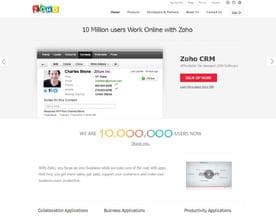
Zoho is one of the better-known examples of this model, offering a wide range of business tools under a connected platform. Gsuite (Google Workspace) is another widely adopted option, particularly for teams where documents, email, and collaboration are the central workflows. Both illustrate that suites can work at very different scales and with very different toolset priorities. The right choice depends on which capabilities you actually need at the center of your work.
The Depth-Breadth Trade-Off
Suites win on breadth and integration. They rarely win on depth. If your business has complex, specialized needs in a particular area, a dedicated point solution will almost certainly do more in that area than the equivalent module in a suite. That is not a flaw in the suite's design. It is a trade-off built into the model.
The question to ask yourself is this: do you need depth across every function, or do you need one or two functions at depth and everything else at a reasonable standard? If the answer is the latter, a suite often makes economic and operational sense. If you need several functions at depth, you may end up supplementing the suite with specialist tools anyway, which partially undermines the integration argument.
Some vendors, like ContactOffice, focus the suite concept around a smaller set of core tools done well, rather than trying to cover every business function. That approach can be a better fit for teams who want integration without complexity. It is worth considering whether you are buying breadth because you genuinely need it, or because the feature count looks impressive in a comparison table.
Pricing and Lock-In
Suites often look cost-effective at first glance. A single subscription covering multiple tools tends to compare favorably with the sum of several individual subscriptions. That comparison is real, but incomplete.
The fuller picture includes migration cost. When your business data lives inside one ecosystem, switching becomes a significant project. Exports are rarely clean. Integrations with third-party tools may break. Team retraining takes time. None of that means suites are a bad choice. It means you should go in with clear eyes about what you are committing to.
Spend time before you sign understanding how data export works across every module you plan to use. Ask what happens to your data if you downgrade or cancel. A vendor that makes exit straightforward is signaling confidence in their product. A vendor that makes it difficult is not necessarily doing anything wrong, but it is a data point worth having.
Making the Shortlist
When you are ready to evaluate seriously, narrow your shortlist using these criteria in roughly this order.
- Workflow fit. Does the suite cover the specific combination of tools your team needs, at a standard that will satisfy them?
- Integration quality. Can you see real cross-module data flow in a demo, not just a feature list?
- Scalability. Does the pricing and feature structure work at your current size and at the size you expect to reach in the next few years?
- Support model. Is there a single support team for the whole suite, or will you be triaged between product teams for cross-module issues?
- Exit terms. How cleanly can you get your data out if you need to move on?
Vendors like Herolocity and 4CRMs approach the suite model from different angles and serve different market segments, which is a useful reminder that this category is not one-size-fits-all. Your evaluation should be shaped by your specific workflow needs, not by which suite has the longest feature list or the most recognizable brand.








The Decision That Shapes Everything Else
A suite is not just a software purchase. It sets the operational foundation that most of your other tool decisions will be made on top of. Get the integration quality right and your team gains compounding efficiency as they work more naturally across functions. Get it wrong and you have traded one set of fragmented tools for a different, more expensive one.
Take the time to test real workflows, not just individual features. That single discipline will tell you more about whether a suite will actually serve your business than any feature comparison chart ever will.


