


Most businesses treat invoicing as a back-office chore, something to automate once and forget. That instinct makes sense until you look closely at what slips through the cracks. Late payments, manual re-entry errors, disconnected approval chains, and invoices that sit undelivered in a spam folder can quietly erode margins more than almost any other operational inefficiency. Choosing the right billing and invoicing software is not just a productivity decision. It is a cash flow decision.
The Real Cost of a Weak Billing Process
Before evaluating any tool, it helps to be honest about what your current process is actually doing to the business.
If you are chasing payments manually, you are spending staff time on a task that should not require human judgment. If your invoices look inconsistent across clients, you are signaling operational immaturity. If you cannot tell, at a glance, which invoices are overdue, disputed, or partially paid, you do not have a billing process at all. You have a pile of documents with no system around them.
The good news is that modern billing software addresses all of this. The harder question is which category of tool actually fits your operation, because the market is much more fragmented than most buyers realize.
Understanding What "Billing Software" Actually Covers
The category title sounds simple, but billing and invoicing tools span a wide range of use cases and business models.
At the basic end, you have invoice generators: lightweight tools that let you create, send, and track a single invoice at a time. They are fine for freelancers and very small service businesses. Then you have subscription billing platforms, which handle recurring charges, plan upgrades, proration, and failed-payment retries. These are built for SaaS companies, membership businesses, and any model where billing happens on a cycle rather than per job. Enterprise-level tools layer in purchase order matching, multi-currency support, tax compliance across jurisdictions, and integrations with procurement systems.
Knowing where your business sits on that spectrum before you start a demo will save you weeks of evaluation time.
Five Things That Actually Separate Good Tools from Average Ones
Automation depth
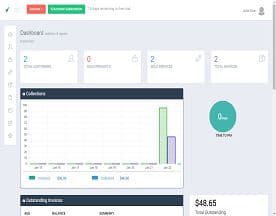
A tool that generates an invoice is table stakes. What you actually want is a tool that generates, delivers, follows up, reconciles payment, and flags exceptions without anyone touching a keyboard. Look hard at the automation rules available, specifically whether you can trigger follow-up reminders on a schedule, automatically apply late fees, and route disputed invoices to the right person. Invoicera is worth examining for teams that need layered automation across multiple client accounts, while OneBill targets businesses running complex subscription and usage-based models that require billing logic built into the workflow itself.
Integration with your existing financial stack
Billing software that does not talk to your general ledger creates double-entry work and reconciliation headaches. Before committing to any tool, map your current stack and confirm the integrations are native rather than ported through a connector that adds latency and failure points. This matters most at month-end when everyone needs clean numbers at the same time.
Client-side experience
Buyers tend to focus entirely on the sender's side of the transaction and forget about the recipient. If your clients cannot easily view, download, or pay an invoice without friction, your payment speed will suffer regardless of how good the tool is on your side. Blinksale has built its product around a clean client-facing experience for service businesses that want invoicing to reinforce their brand rather than undermine it.
Handling of scale and complexity
Simple invoice volume is not the same as billing complexity. A business sending fifty invoices a month to clients in three countries, with different tax rates, payment terms, and currencies, has more complex billing needs than a company sending five hundred identical invoices domestically. Tungsten Network operates at the enterprise end of this scale, with a focus on e-invoicing compliance across global supply chains, which is a different problem set entirely from small-business invoicing but worth knowing exists when you are scoping requirements.
Reporting that tells you something useful
Most billing tools show you what was sent and what was paid. Fewer show you average days to payment by client, dispute rates by invoice type, or the revenue impact of your current payment terms. If you manage cash flow actively, reporting capabilities are not a nice-to-have. They are a core feature.
Where Buyers Usually Go Wrong
The most common mistake is buying for today's volume and complexity rather than projecting forward. A tool that handles your current billing cleanly but cannot support subscription tiers, multi-entity reporting, or international tax rules will need replacing the moment your model evolves. Migration is painful and disruptive. Buying slightly ahead of where you are now is almost always the right call.
The second mistake is treating price as the primary filter. The cost of software is small relative to the cost of the staff time it either saves or creates. A tool that is difficult to use, poorly integrated, or unreliable in delivery will cost far more in productivity than you saved on the subscription.
The third mistake is skipping the payment experience test. Always run a full cycle end-to-end in a trial: create an invoice, send it to yourself, pay it, and watch what happens on the back end. If that process reveals friction or confusion, your clients will feel it too.
How to Structure Your Evaluation
Give yourself a clear decision framework before you start demos. Define your non-negotiables first: the integrations that must work, the billing models you must support, the compliance requirements that apply to your industry or geography. Then define your preferences: the workflow automations that would save meaningful time, the reporting views that would genuinely change decisions.
Run every shortlisted tool against the same test scenario. Use real invoice data if you can, or realistic proxies. Judge each tool on the same criteria rather than letting a polished demo override your requirements list.
And ask vendors directly what happens when things go wrong. How does the tool handle a failed payment in a subscription cycle? What happens when an invoice is disputed mid-approval? The answer tells you more about how the product was built than any feature sheet will.







The Bigger Picture
Getting billing right compounds over time. Faster payment cycles improve cash flow without any change to pricing or sales volume. Cleaner records reduce audit risk and accountant fees. Consistent, professional invoices signal reliability to clients and reduce the informal negotiations that erode payment terms. None of that shows up on a feature comparison matrix, but it is exactly what good billing software delivers when it is chosen and configured well. The tool is the start of that, not the end.


