


Most finance teams underestimate how much friction lives inside their accounts payable process until they finally try to fix it. Invoices sit in inboxes, approval chains loop back on themselves, and month-end close turns into a controlled scramble. The pain is familiar. What's less obvious is that the wrong software choice can deepen that friction rather than resolve it, especially when buyers focus on the wrong criteria from the start.
This guide is for the person who owns that problem and needs to make a smart purchase decision, not just a defensible one.
What Accounts Payable Software Actually Does
At its core, accounts payable software automates the cycle of receiving, validating, approving, and paying supplier invoices. That sounds narrow, but the scope is wider in practice. A capable system will capture invoices from multiple channels (email, EDI, supplier portals, scanned paper), extract and validate data against purchase orders or contracts, route documents through configurable approval workflows, and then trigger payment through your preferred method.
The best platforms go further. They provide audit trails that satisfy external auditors, duplicate detection that prevents paying the same invoice twice, and reporting that tells you where money is sitting at any point in the cycle. Some integrate directly with your ERP or accounting system. Some include vendor management tools so you can track supplier relationships alongside the transactional data.
The category ranges from lightweight cloud tools suited to smaller businesses processing a few hundred invoices a month, to enterprise-grade platforms built for organizations running tens of thousands of invoices across multiple entities and currencies.
The Questions That Actually Separate Good Systems From Bad Ones
Vendor demos are good at showing what software can do under ideal conditions. They are less good at revealing what happens when your actual data, your actual workflow, and your actual team get involved. Here are the questions worth pressing on.
How does it handle exceptions
Every AP process has exceptions. Invoices that arrive without a purchase order. Amounts that fall outside tolerance thresholds. Vendors who send PDFs structured in ways an OCR engine (optical character recognition software that converts scanned documents into machine-readable text) struggles to parse. Ask any vendor how exceptions are routed, who handles them, and how long they typically sit before resolution. A system that automates the clean 80 percent of invoices but creates a manual backlog for the messy 20 percent may not deliver the efficiency gain you're expecting.
What does the approval workflow look like in practice
Configurable approval routing is a feature almost every platform claims. What varies enormously is how complex that configuration can get before it breaks down. You need to map your own approval logic first. Who approves what amounts? Does that change by cost center, by entity, or by vendor category? Does a line manager approve before finance, or after? Bring that map into every demo and test whether the system can reflect it without requiring workarounds.
How deep is the ERP integration
Most AP platforms will tell you they integrate with your ERP. That statement covers a wide range of actual capability. A basic integration might sync invoice data once a day in one direction. A mature integration will push data in real time, pull GL codes and vendor master records automatically, and handle multi-entity or multi-currency posting without manual intervention. Ask specifically: which version of your ERP does the vendor actually support, and how is the integration maintained when your ERP releases an update?
What happens to your data if you leave
This question makes vendors uncomfortable, which is exactly why it's worth asking. Before you sign, understand what format your data can be exported in, how long the vendor retains it after contract end, and whether there are any fees attached to export. Data portability is an indicator of vendor confidence and a practical safeguard for your business.
Matching Capability to Context
A small business processing invoices for a handful of regular suppliers has fundamentally different needs from a mid-market manufacturer running a three-way match (matching an invoice to a purchase order and a goods receipt before approving payment) across hundreds of vendor relationships.
For lighter-volume operations, platforms like Bill.com or Entryless offer accessible entry points with strong integrations to common accounting systems. They are built for straightforward workflows and benefit teams that need automation without significant implementation overhead.
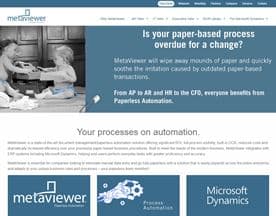
For higher-volume environments with more complex approval structures, platforms like AvidXchange and Yooz are built to handle that scale, with more sophisticated capture and routing capabilities. MetaViewer is another option worth evaluating if document management depth is important to your workflow, particularly for teams dealing with high volumes of paper-origin invoices.
The point is not to match a brand to a company size. The point is to match capability to context. A platform that handles complexity well but requires weeks of configuration might be the wrong choice for a team that needs to go live quickly. A simple tool that runs out of road at moderate volume will cost you a second implementation project.
Evaluation Mistakes Worth Avoiding
The most common buyer mistake is leading with price. AP automation does generate cost savings, but the extent of those savings depends heavily on your starting point and how well the tool fits your process. A low-cost platform that requires significant manual handling of exceptions will often cost more in labor than a more capable system with a higher license fee.
The second common mistake is underestimating change management. Approvers who are used to receiving PDF invoices by email will push back on a new portal-based workflow. AP staff who have spent years in a particular system will find ways to work around a new one if they feel it was imposed rather than adopted. Implementation success depends on involving the people who touch the process, not just the people who own the budget.
Third: buying for today's volume. If you are growing, model what your invoice volume and entity count look like in two or three years and check whether the platform scales there without a major re-implementation.







What a Good Shortlist Looks Like
A shortlist for this category should include two to four vendors you can run through a structured proof of concept (a limited test using your own data and workflows, not the vendor's canned demo). Prioritize vendors who will engage with that process over ones who push you toward a quick close.
Reference checks matter more in this category than many others because the integration dependencies are real and the consequences of a failed implementation hit your cash flow directly. Talk to customers who run a similar ERP, a similar approval structure, and a similar invoice volume to yours.
The decision is not which platform looks best on paper. It is which platform your team will actually use consistently, in the conditions your business actually operates in.


