


You already know the problem: someone needs to book time with you or your team, and the back-and-forth of finding a slot, confirming it, sending reminders, and handling cancellations eats hours you don't have. The instinct is to go find a tool that fixes that. But the tool you pick will shape how your entire booking workflow runs, sometimes for years. Getting it right means understanding what you actually need before you start comparing feature lists.
This guide is built from our team's experience reviewing software, talking to buyers across a wide range of service businesses, and watching what goes wrong when the wrong tool gets chosen. We're going to focus on the decisions that matter, not the marketing language.
The Problem Is Rarely Just "Booking"
Most buyers come to appointments and scheduling software thinking they need a calendar people can book into. That's true, but it's only the surface layer. The deeper problems are usually about communication, no-shows, staff coordination, and integration with the rest of your operations.
A solo consultant losing an afternoon to rescheduling emails has a different problem than a salon managing six staff members across two locations, or a medical practice handling patient appointments with compliance requirements attached. The category covers all of these. That means a tool purpose-built for one context can be genuinely wrong for another, even if both technically let customers "book appointments."
Before you evaluate anything, get specific about your actual pain. Is the problem client-facing booking friction? Internal resource conflicts? No-show rates? Follow-up communication? The answer changes what you should be looking for.
What the Core Features Actually Do
Self-Service Booking
The headline feature of most tools is a booking page or widget where clients can pick a time and confirm it without talking to anyone. This works beautifully when your availability is predictable and your service types are clearly defined. It works less well when bookings require judgment, custom scoping, or approval before confirmation.
Acuity Scheduling and SimplyBook.me are both strong examples of tools that have invested heavily in the client-facing booking experience, with customizable forms and intake questions built into the flow. If your business needs to capture information before confirming a booking, look closely at how intake forms work, not just whether they exist.
Reminders and No-Show Reduction
Automated reminders are probably the highest-ROI feature in this category, and they're often underestimated at the buying stage. A tool that sends a confirmation immediately, a reminder the day before, and a follow-up after the appointment can meaningfully reduce no-show rates without any manual effort on your part.
Inphonite focuses specifically on automated messaging and reminders as its core value proposition, which is worth noting if no-show rates are your primary headache. More general tools will include reminder functionality, but the depth and configurability of those reminders varies considerably. Check whether you can customize timing, channels (email, SMS, voice), and message content, or whether you're stuck with a default template.
Staff and Resource Scheduling
As soon as you have more than one person or room to schedule, complexity increases sharply. You need the software to understand which staff member handles which service type, when each person is available, and how to prevent double-booking across locations or resources.
BookSteam and Bookafy both support multi-staff scheduling with individual calendars, which is worth examining if you're coordinating a team rather than managing solo availability. For operations that manage rooms, equipment, or physical resources rather than people, MIDAS takes a room and resource booking approach that many service-focused tools simply don't offer.
Payments and Deposits
Some businesses need to collect payment at booking, not at the appointment. This is particularly true in industries where no-shows are costly, or where booking without a deposit creates a real business risk. The payment integration in scheduling tools ranges from seamless to bolted-on, and the difference matters at the operational level. Look at which payment processors are supported, whether deposits are configurable as a percentage or fixed amount, and what the cancellation and refund workflow looks like.
The Integration Question
Scheduling software doesn't exist in isolation. It connects, or should connect, to your calendar, your CRM, your payment processor, your video conferencing platform, and sometimes your practice management or field service software. The degree to which a tool integrates natively versus requiring a third-party connector changes both the setup cost and the ongoing reliability.
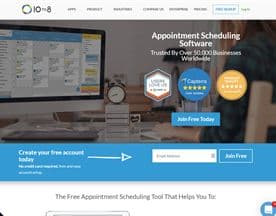
SuperSaaS is notable for the breadth of use cases it handles, with configuration options that let it adapt to industries ranging from education to healthcare to field services, partly because it has flexible integration options that let it sit alongside existing systems rather than replacing them. 10to8 takes a similar approach, with a strong emphasis on two-way calendar sync and integrations with CRM and communication tools.
The practical test is this: map your current workflow from the moment a client decides to book to the moment the appointment is complete and followed up. Every step in that map is a potential integration point. If the tool you're evaluating leaves three or four of those steps as manual work, the productivity gain is limited.
Pricing Models and Hidden Costs
Scheduling software is typically priced per seat, per booking volume, or as a flat monthly fee for a set feature tier. None of these models is universally better; the right one depends on your volume and team size.
Watch for feature gating. Reminders, integrations, and reporting are sometimes locked behind higher tiers in a way that isn't obvious during a free trial. Also watch for per-SMS or per-notification fees if you're planning to run automated reminders at volume. These costs are small individually and significant in aggregate.
Timely is worth noting here as a tool that bundles scheduling with broader business management features for service businesses, which can make the per-seat cost look different once you account for what it replaces.
How to Actually Evaluate Before You Commit
Run a real pilot with real bookings, not a demo scenario. Set up the tool with your actual services, your actual staff availability, and your actual client intake requirements. Then send the booking link to real clients and see what happens. The friction points that matter will surface quickly.
Check mobile usability on both sides. Your clients will often book from a phone, and your staff will often manage their calendars from one. A tool that looks polished on desktop and awkward on mobile is a tool that will create problems in daily use.
Talk to support before you buy. The responsiveness and quality of support at the pre-sales stage is usually a reasonable signal for what you'll get post-sale. If a vendor is hard to reach when they're trying to win your business, factor that in.








What Good Looks Like
The right scheduling tool reduces the time your team spends managing bookings, reduces no-shows through automated communication, and fits into your existing workflow without creating new manual work at the edges. It should feel invisible to clients and low-maintenance to your staff.
What it should not do is require you to rebuild your operations around its limitations. If you're finding yourself writing workarounds for a tool during evaluation, those workarounds will still be there in six months. The effort of switching later is always higher than the effort of choosing carefully now.


