


Most teams already have data. They have spreadsheets, exports from their CRM, reports out of their accounting system, and a folder somewhere full of files that nobody opens anymore. The problem is not a shortage of data. The problem is that raw data does not tell you anything until someone turns it into a decision. That is the job of business intelligence software, and it is a job worth understanding before you go shopping for it.
The Confusion That Costs Buyers Time
BI software gets lumped together with reporting tools, analytics platforms, dashboards, and data visualization products. Some of that overlap is real. But the distinction that matters for buyers is this: a reporting tool tells you what happened, and a BI platform helps you understand why it happened and what to do next. The best platforms do both in an integrated environment where non-technical staff can actually use them without waiting on a data analyst to run a query.
That last point trips up a lot of buying decisions. Buyers evaluate a platform on the depth of its analytical engine, then discover their operations manager cannot pull a simple sales trend report without calling IT. The sophistication of the back end means nothing if the front end creates a dependency on technical staff. Evaluate both layers.
What the Software Category Actually Covers
At its core, BI software connects to your data sources, transforms that raw data into structured information, and presents it through visualizations, dashboards, or automated reports that people in your organization can act on. The category is broad, and platforms vary significantly in where they focus their energy.
Some platforms are built for embedded analytics, meaning the BI layer sits inside another product your team already uses. Others are standalone environments where you build dashboards, set up alerts, and run ad hoc queries as needed. A few are designed specifically for small and mid-size businesses, with pre-built connectors and templates that reduce setup time considerably. EZlytix takes this approach, focusing on smaller businesses that need usable insight without a dedicated data team.
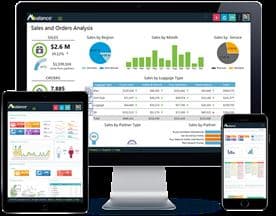
Larger organizations with more complex data environments often need platforms that can handle multiple sources simultaneously, apply more sophisticated modeling, and distribute reports across departments with different permission levels. Domo operates at this end of the spectrum, with a cloud-native architecture built for enterprise-scale data operations.
The gap between those two use cases is significant. Buying the wrong end of the spectrum is one of the most common and expensive mistakes in this category.
How to Frame Your Requirements Before You Demo
Before you talk to a single vendor, get clear on three things.
Who will actually use this. If your primary users are department heads who want to check performance metrics over morning coffee, you need a platform optimized for consumption, not construction. If your primary users are analysts building models and segmenting cohorts, you need depth over convenience. Most platforms claim to serve both, and some do, but most lean one way.
Where your data lives. Every BI platform has a list of native integrations. Some connect smoothly to the tools your business already runs. Others require a middleware layer or custom development to pull data from your specific sources. Map your current data sources before any demo, and test the connectors that matter to you specifically, not just the ones that look good on a features page.
How quickly your needs will change. A small team with a stable set of KPIs (key performance indicators, the core metrics your business tracks) can get significant value from a simpler platform. A business in a growth phase, adding new product lines or entering new markets, needs a platform that scales without forcing a migration. Phocas Software has built its positioning around this scalability challenge for mid-market businesses, particularly in distribution and manufacturing contexts.
The Capabilities That Separate Useful From Expensive
There are a handful of capabilities that consistently separate BI platforms that get used from those that quietly get shelved.
Self-service querying. Can a non-technical user ask a question the dashboard was not specifically designed to answer? If the answer is no, you are dependent on whoever built the dashboard every time a new question arises. That creates a bottleneck that frustrates both the analyst and the person waiting.
Data refresh frequency. Some platforms update dashboards in near real-time. Others batch-update once a day or once a week. For operational decisions, real-time or near-real-time data matters. For strategic planning, a daily refresh is usually fine. Know which category your use case falls into.
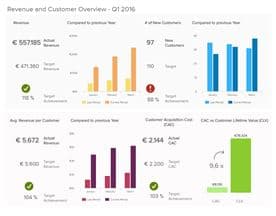
Collaboration and sharing. BI software that only one person can meaningfully operate tends to create a single point of failure. Look for platforms where multiple users can annotate data, share views, and build on each other's work. datapine makes this a central feature, allowing teams to share dashboards and build a shared understanding of the numbers rather than siloed interpretations.
Alerting and monitoring. Dashboards are passive. Alerts are active. A platform that can notify you when a metric crosses a threshold, without you having to check the dashboard first, is meaningfully more useful than one that cannot. Do not overlook this feature in a demo.
What Buyers Get Wrong About Implementation
The most consistent feedback we hear from businesses that have gone through a BI implementation is that they underestimated the data preparation work. BI software visualizes data. It does not clean it, standardize it, or reconcile contradictions between two systems that record the same thing differently. If your data is messy, a BI tool will surface that mess visually, which is useful for identifying the problem but not a substitute for fixing it.
Budget time and, where necessary, resource for data preparation before your go-live date. The platform itself can often be stood up quickly. The work of making your data trustworthy enough to base decisions on takes longer and deserves more planning than most buyers give it.





Making the Final Call
A shortlist of two or three platforms, tested against your real data sources and your real users over a structured trial period, will tell you more than any demo ever will. Give the trial to the people who will actually use the software daily, not just to the decision-maker who selected the shortlist. Their experience in the first two weeks is the most reliable signal you have.
The right BI platform does not require a data scientist to unlock its value. It should make your existing team sharper, faster, and more confident in the decisions they were already trying to make. That is the standard worth holding vendors to.


