


Most teams shopping for analytics software spend the bulk of their time comparing dashboards. They book demos, toggle between features, and debate which charts look cleaner. That is the wrong starting point. The real question is not "what can this tool show me?" It is "what decisions do we need to make, and are we currently making them badly?" Get that backwards and you will buy something technically impressive that collects dust inside six months.
Start With the Decision, Not the Data
Every analytics purchase has a stated purpose: understand customer behavior, track campaign performance, monitor operational efficiency. But stated purposes are slippery. What teams often mean is "we feel like we should have more visibility," which is not a decision, it is anxiety. Anxiety is a poor brief for a software purchase.
Before you evaluate a single vendor, write down three to five decisions your team makes regularly that you wish you could make with more confidence. Not hypothetical decisions. Actual ones that recur. If you cannot list them, you are not ready to buy analytics software yet. You are ready to spend a week with your team figuring out where judgment calls are replacing good data.
Once you have that list, you know what the software actually needs to do. Everything else is a nice-to-have.
The Four Things Analytics Tools Actually Do
The category is broader than most buyers realize. When we talk about analytics software as a whole, we are talking about at least four distinct functions that often get bundled together or confused with each other.
Data aggregation pulls information from multiple sources into one place. If your data lives in five different platforms and you want to see it together, you need this capability front and center.
Visualization turns numbers into charts, graphs, and dashboards. Almost every tool does this, but the quality and flexibility vary enormously. A tool built for ad-hoc exploration feels very different from one built for fixed executive reporting.
Analysis and modeling goes deeper, finding patterns, running comparisons, and sometimes applying statistical methods. This is where tools for power users diverge from those aimed at non-technical teams.
Text and sentiment analysis handles unstructured data, the kind that lives in reviews, surveys, and open-ended responses. BytesView focuses on this end of the category, which is a reminder that "analytics software" covers a lot of ground.
Knowing which of these four you need most will immediately narrow your shortlist. If you need all four at high depth, expect complexity. If you need two of them at moderate depth, your options open up considerably.
Match Depth to the People Using It
This is the failure mode we see most often. A team buys a sophisticated analytics platform because it scores well in demos, then discovers that only one person in the organization can actually use it at full capacity. Everyone else opens the tool, feels lost, and stops logging in.
The honest question is not "how powerful is this?" but "how powerful does our team need it to be, and how much do we want to invest in learning it?"
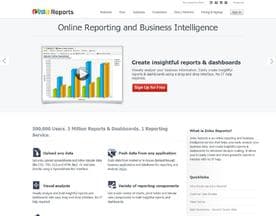
For teams that want broad access without deep technical expertise, platforms built around guided interfaces tend to deliver faster time-to-value. Zoho Analytics sits in this space, offering a wide feature set with accessible entry points that do not require a data science background to get started.
For teams that work primarily in digital advertising and need to track performance across multiple channels without manually pulling reports, purpose-built tools handle the aggregation and reporting work more elegantly than a general platform. Tercept is one example in that niche, built around the specific workflow challenges of ad monetization teams.
The pattern is consistent across the category. Specialist tools go deeper on a narrower set of problems. Generalist tools cover more ground but demand more from the user to configure them well.
The Questions Most Buyers Skip
Most software demos focus on what the tool does when everything is working. You need to also ask what happens when things go wrong, or when your data situation is messier than the polished demo assumes.
A few questions worth asking before you commit:
- How does the tool handle incomplete or inconsistent data? Most real business data has gaps. A tool that breaks or misleads when data is dirty is a liability.
- Who owns integration work? Connecting your data sources to a new platform almost always takes longer than the vendor estimates. Ask who does that work and what it has cost other customers of similar complexity.
- What does the alerting look like? Dashboards are passive. Good analytics software should be able to tell you when something has changed, not wait for you to check. Improvely has built its product around this idea for conversion and traffic monitoring, which illustrates how proactive alerting can change how a team uses analytics day-to-day.
- How do we export or migrate our work if we switch? Vendor lock-in is a real cost that rarely appears on pricing pages.
Behavioral and Product Analytics Deserve Separate Consideration
If your use case involves understanding how users move through a website or application, you are touching a distinct sub-category. Tools that track clicks, scrolls, heatmaps, and session recordings operate differently from BI (business intelligence) platforms, and they answer different questions.
MouseStats focuses on this area, providing behavioral data about how real users interact with your interface. This kind of insight is specifically valuable for product and UX teams making decisions about design and flow. It does not replace broader analytics. It complements it.
If your use case spans both behavioral data and broader business reporting, check whether you need two tools operating alongside each other, or whether a single platform genuinely covers both with enough depth for your purposes.






What Good Looks Like After Implementation
The test of a good analytics purchase is not whether your dashboards look impressive in the first week. It is whether, three months in, your team is making at least some decisions differently than they made them before. That means someone is citing data in a meeting that previously ran on gut feel. It means a process changed because the numbers showed something surprising. It means your team's relationship with uncertainty has shifted slightly.
If none of that has happened after a reasonable ramp-up period, the problem is usually one of three things: the wrong tool for the actual decisions being made, insufficient onboarding, or the upstream problem of not having defined what decisions needed better data in the first place.
Which is why the right place to start was never the dashboard comparison. It was always the decision list.


